Exploring the Versatile Tree 2 Digital STL File for Polymer Clay Crafting
Welcome to the world of polymer clay crafting, where creativity and precision meet. Today, we'll dive into the Tree 2 Digital STL File, a versatile tool designed to enhance your crafting experience. This file is perfect for both beginners and experienced crafters, offering a range of sizes and cutting options to suit various projects.
Understanding the Tree 2 Digital STL File
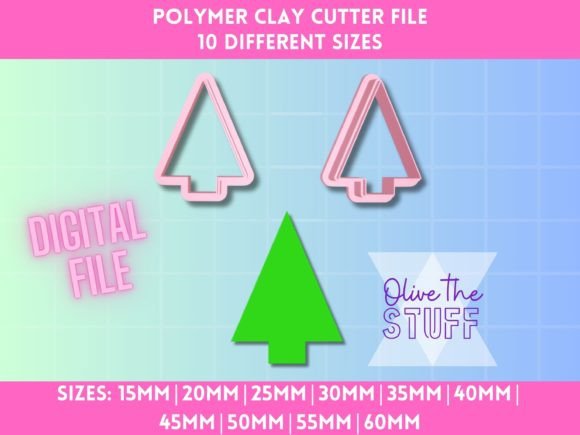
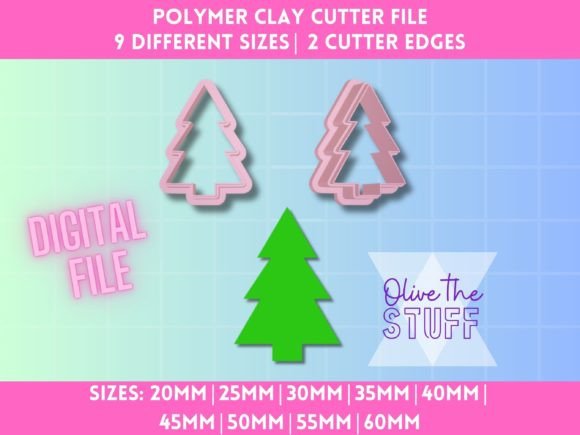
The Tree 2 Digital STL File is a digital model that can be used with a 3D printer to create high-quality, precise cutters for polymer clay. These cutters are essential for creating clean, detailed shapes in your clay projects. The file includes a variety of sizes, from 20mm to 60mm, making it suitable for a wide range of creative endeavors.
Available Sizes and Their Applications
- 20mm: Ideal for small, intricate details and jewelry components.
- 25mm - 35mm: Perfect for medium-sized pendants, charms, and decorative elements.
- 40mm - 50mm: Suitable for larger pendants, keychains, and other decorative items.
- 55mm - 60mm: Great for statement pieces, large decorations, and home decor items.
Types of Cutter Edges: Normal and Sharp
The Tree 2 Digital STL File offers two types of cutter edges: Normal and Sharp. Each type has its unique features and applications, allowing you to choose the best option for your specific project.
Normal Edge Cutters
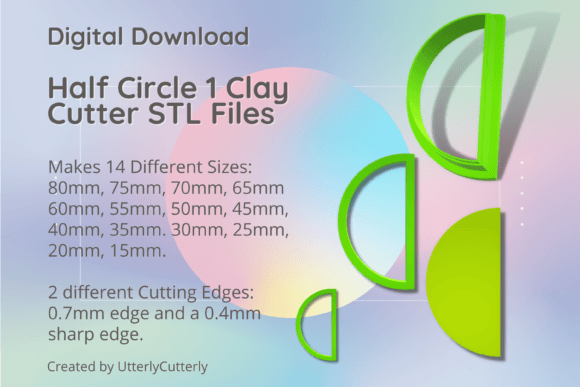
Normal Edge Cutters have a .7mm wall with a 3mm base. These cutters are ideal for creating smooth, clean cuts in polymer clay. They are particularly useful for projects that require a more gentle, rounded edge, such as delicate jewelry or decorative elements.
Sharp Edge Cutters
Sharp Edge Cutters feature a .4mm blade wall with a .7mm support wall. These cutters are designed for more precise, sharp cuts, making them perfect for intricate designs and detailed work. They are especially useful for projects that require fine, crisp lines, such as complex patterns and detailed sculptures.
Practical Relevance and Creative Uses
The Tree 2 Digital STL File is not just a tool; it's a gateway to endless creative possibilities. Here are some practical ways you can use these cutters in your crafting:
- Jewelry Making: Create unique, custom pendants, earrings, and bracelets with intricate designs and clean edges.
- Home Decor: Design and craft decorative items like coasters, wall art, and ornaments that add a personal touch to your living space.
- Custom Gifts: Personalize gifts for friends and family with custom-made keychains, magnets, and other small trinkets.
- Art and Sculpture: Use the cutters to create detailed elements for larger sculptures and mixed media art projects.
Common Misunderstandings and Tips
While the Tree 2 Digital STL File is a powerful tool, there are a few common misunderstandings and tips to keep in mind:
- Know Your 3D Printer Limitations: Before purchasing and using the STL file, make sure your 3D printer can handle the required print settings and material. Check the printer's specifications and capabilities to ensure a successful print.
- Cutter Size and Base: The size of the cutter is based on the widest part of the clay cutter. In sets, the size refers to the widest piece. This ensures that you get the right size for your project and avoid any sizing issues.
- Material Compatibility: While these cutters are primarily designed for polymer clay, they can also be used with other soft materials like fondant, sugar paste, and even certain types of soft wood. Always test the cutter on a small piece of material first to ensure compatibility.
Conclusion
The Tree 2 Digital STL File is a valuable addition to any crafter's toolkit, offering a range of sizes and cutting options to suit various projects. Whether you're a beginner or an experienced crafter, this file provides the versatility and precision needed to bring your creative visions to life. By understanding the different types of cutters and their applications, you can unlock a world of creative possibilities and elevate your polymer clay projects to new heights.
Happy crafting!